Claude Computer Use on Windows: What It Changes for SMB Automation

Last updated: 3 April 2026
TL;DR
- Windows support matters because most SMB workflows run in desktop tools such as Sage, Excel, LEAP, Mortgage Brain, and other systems without clean APIs.
- Computer Use lets Claude see screens, click, type, move data, build spreadsheets, and operate multi-step workflows through Cowork or Claude Code Desktop.
- Start with narrow, reviewed workflows before letting Claude touch sensitive client data or high-risk actions.
Key Takeaway
Claude Computer Use now runs on Windows through Claude Cowork and Claude Code Desktop. For the majority of UK businesses running Windows-only desktop software — Sage, Excel, LEAP, Mortgage Brain — this means AI can now navigate their actual applications, move data between systems, build spreadsheets, and execute multi-step workflows autonomously. No APIs required. No switching operating systems.
What Computer Use Actually Does
Anthropic announced that Claude Computer Use is now available on Windows, one week after launching on macOS. For background on Computer Use and Dispatch, see Anthropic's official announcement. The feature works through both Claude Cowork (the autonomous desktop agent for knowledge work) and Claude Code Desktop (the development-focused interface).
But "Computer Use" is not just a marketing label. Here is what it means mechanically:
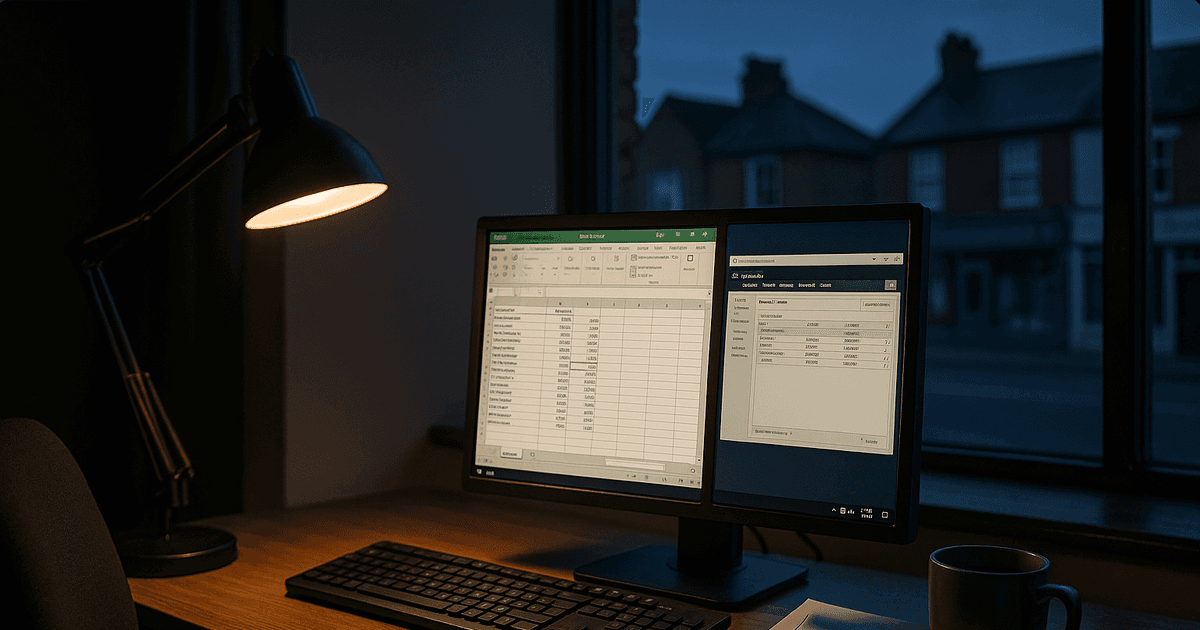
Claude can see your screen. It reads the contents of whatever application is open — text in cells, labels on buttons, data in forms, figures in ledgers. It understands the layout and context of what it sees.
Claude can control your mouse and keyboard. It clicks buttons, selects menu items, navigates between tabs, types into fields, copies and pastes between applications. It operates your desktop exactly as you would.
Claude can chain actions across multiple applications. This is the critical capability. A single instruction like "Pull the trial balance from Sage for client ABC Ltd, paste the totals into the Q1 worksheet in Excel, format the summary row, and draft the cover email in Outlook" becomes an autonomous multi-step workflow. Claude opens Sage, navigates to the right client, extracts the figures, switches to Excel, pastes into the correct cells, applies formatting, switches to Outlook, and drafts the email — all from one prompt.
Claude tries the most precise tool first. If a service connector exists (Slack, Google Calendar, Outlook), Claude uses it. Computer Use is the fallback for everything that has no API or connector — which, for most SMB software, is almost everything.
This is not a minor platform port. Windows runs on approximately 72% of desktop computers worldwide, and that share is significantly higher in UK small and medium businesses. The sectors where Computer Use has the highest impact — financial services, legal, accounting, trades — are overwhelmingly Windows-first.
What This Unlocks for UK Businesses
Accountants and bookkeepers: Sage, TaxCalc, Excel, HMRC
This is where the Windows unlock matters most. Sage 50 is a thick Windows desktop application with no public API. TaxCalc is Windows-native. HMRC's online filing portals are designed for Windows browsers. And the glue connecting all of them is Microsoft Excel.
Before Computer Use: A sole practitioner doing year-end accounts opens Sage to pull the trial balance, manually copies figures into an Excel template, cross-references against bank statements in a second Excel file, calculates adjustments, then switches to TaxCalc to file the return. Each client takes 90 minutes of copying, pasting, and cross-referencing.
With Computer Use: "Pull the trial balance from Sage for client XYZ, populate my year-end template in Excel, flag any balances that differ from last year by more than 10%, and prepare the CT600 entries in TaxCalc." Claude navigates all three applications on the same Windows machine, moving data between them, formatting the spreadsheet, and preparing the filing. The practitioner reviews and submits.
Claude Cowork can also turn receipts, invoices, and screenshots into formatted Excel spreadsheets with working formulas — its Build Spreadsheets capability handles the transformation from unstructured documents to structured data automatically.
Mortgage brokers: Mortgage Brain, Twenty7tec, lender portals
Broker management systems like Mortgage Brain and Twenty7tec are Windows-native applications. Lender portals from major UK banks are accessed through Windows browsers. The day-to-day work of a mortgage case manager involves switching between four or five systems constantly: the CRM, the sourcing tool, the lender portal, Outlook, and Excel tracking spreadsheets.
The multi-app workflow: "Check all active cases in Mortgage Brain, identify any where the lender has been waiting for documents for more than 5 days, pull the outstanding items list from each lender portal, update the case status in the CRM, and draft chaser emails in Outlook for each one." That is a workflow involving four applications, none of which talk to each other via API. Computer Use bridges them by navigating each application at the screen level.
With Scheduled Tasks, this check can run every morning at 8:30am automatically. With Dispatch, the broker receives a mobile notification summarising which cases need attention — while they are sitting across from a client.
Legal teams: LEAP, Proclaim, Land Registry, SDLT
Case management systems like LEAP and Proclaim are Windows desktop applications. The Land Registry portal, court filing systems, and SDLT submission tools are all accessed through Windows. A conveyancing completion day involves data from at least three separate systems.
The completion-day workflow: "Open the matter file in LEAP, extract the completion figures, prepare the completion statement in the Word template, calculate the SDLT liability in the HMRC tool, fill the AP1 form for Land Registry, and update the matter status." Each step involves a different application. Claude navigates between them, pulling data from one and entering it in the next. What previously consumed an hour of qualified paralegal time becomes a review-and-submit task.
Trades and field services: estimating, invoicing, supplier pricing
For trades businesses, the quoting workflow is where Computer Use changes the economics. A plumber pricing a bathroom refit currently checks supplier prices in one browser tab, calculates materials in an Excel spreadsheet, and generates the quote PDF in their job management system.
The quoting workflow: "Check current prices for these 12 items on the supplier portal, update the materials column in my quoting spreadsheet, apply my 15% markup, and generate the customer quote PDF." Claude navigates the supplier portal, reads prices, enters them into Excel, runs the calculations, and produces the output — on the same Windows laptop that sits in the van.
How to Get Started
-
Install Claude Desktop from claude.ai/download. Both Claude Cowork and Claude Code Desktop now support Windows natively.
-
Enable Computer Use in settings. Claude will request permission to view your screen and control input devices. There is nothing else to configure — no API keys, no terminal, no IT department.
-
Start with a specific workflow, not a vague instruction. The more precise your prompt, the better the result. Instead of "help me with my accounts," say: "Open Sage, navigate to client ABC Ltd, pull the trial balance for the year ending 31 March 2026, and paste the figures into cells B4 to B28 in the Q4 tab of this Excel file."
-
Use Scheduled Tasks for recurring work. Once a workflow works, set it to run on a schedule: "Every Monday at 8am, check all active mortgage cases in Mortgage Brain and send me a Dispatch summary of any that need attention."
For businesses wanting bespoke implementations that turn Computer Use into reliable, repeatable production workflows, talk to AI Heroes.
Frequently Asked Questions
Does Computer Use work with any Windows application?
Yes. Computer Use operates at the screen level — it sees pixels and understands UI elements. This means it works with thick-client desktop applications (Sage, LEAP, Mortgage Brain), browser-based portals (HMRC, lender portals, Land Registry), and everything in between. If a human can see it and click it, Claude can too. No API or integration needed.
Can Claude actually work with Excel spreadsheets?
Yes, and this is one of its strongest capabilities. Claude can open Excel files, read cell contents, enter data, apply formulas, format cells, create charts, and navigate between worksheets and workbooks. The Build Spreadsheets feature in Cowork can also convert unstructured documents — receipts, invoices, screenshots — into formatted spreadsheets with working formulas. For accountants and bookkeepers, this means Claude can populate templates, cross-reference figures across workbooks, and flag discrepancies.
Is my data sent to Anthropic when using Computer Use?
Computer Use processes screen content to understand what is displayed. Anthropic's usage policy covers data handling. The feature is currently in research preview. For businesses with sensitive client data, review the enterprise terms and start with non-sensitive workflows to build confidence before expanding scope.
What is the difference between Claude Cowork and Claude Code Desktop?
Claude Cowork is designed for autonomous knowledge work: navigating business applications, processing documents, building spreadsheets, managing workflows, and sending Dispatch alerts. Claude Code Desktop is designed for software development: writing code, running terminal commands, managing repositories. Both support Computer Use on Windows. Most SMBs will use Cowork; development teams will use Code Desktop.
Ready to deploy Claude Computer Use for your Windows workflows? Talk to Marco about a bespoke implementation.
Explore AI Heroes AI solutions or learn about our skills and plugin development.
The agent built for this

Richard
A forward-deployed AI agent that gets your software live and adopted inside every customer.
Meet RichardFrequently Asked Questions

Founder, AI Heroes
I build AI companies and the systems inside them. At AI Heroes, we give businesses the functional capacity to grow without the headcount growth normally demands — sales that follows up, marketing that runs, content that ships, ops that handles itself. We audit where you're leaving growth on the table, build the team that captures it, and hand it over completely.
I've built at scale before. Leading product and GTM at SlideSpeak AI (1M+ monthly users, profitable, bootstrapped). CPO at Disperse — the AI construction platform that went from 3 to 200+ people on $35M raised. I also co-founded LOBOMAR, a luxury fashion label featured in Elle, Cosmopolitan, and the LA Times, with shows at the London Design Museum, Wereldmuseum, and Amsterdam Fashion Week.
Related Articles

Claude for Small Business in 2026: Is It Worth It for a 10-50 Person Team?
Claude for Small Business is useful when it moves work out of the chat window and into finance, sales, marketing, and operations workflows. Here is how to decide whether it belongs in your 10-50 person company.


How Immigration Law Firms Use Claude Cowork to Structure Evidence Bundles
Claude Cowork can help immigration teams turn messy client inputs into a structured evidence bundle, with solicitor or caseworker review.

How to Use Claude Cowork for Conveyancing Chain Chasing: A UK Practice Guide
Your fee earners spend two hours daily chasing the chain. Claude Cowork handles it by 8:30am with Scheduled Tasks, Computer Use, and Dispatch.