UK Finance & Accounting Plugin for Claude Code — Free
Give Claude Code deep UK accounting knowledge — FRS 102, VAT, MTD, Companies House, and month-end close. Stop getting generic responses and start getting structured, regulation-aware output.
🏗️ Built on the architecture of Anthropic's official Finance & Accounting Plugin — fully localised for UK regulations, tax codes, and compliance standards. Designed for accuracy: the plugin cites only FRS 102 standards, HMRC guidance, and VAT rules from its verified knowledge base — no fabricated references.
How It Works with Claude Code
- 1Install — upload the plugin zip in the Claude Desktop App, add via CLI command, or clone from GitHub
- 2Choose your workflow — journal entries, VAT reconciliation, financial statements, and more
- 3Provide your data — paste, upload, or connect via built-in MCP integrations (Slack, BigQuery, Microsoft 365, Gmail, and Google Calendar included out of the box)
- 4Get structured output — UK-compliant, regulation-aware results ready for review
Get the Guide File
Enter your email to download finance-uk-plugin.zip and get access to the GitHub repository.
No spam, ever. Your email is stored securely so we can send you updates about new use cases and workflows.
Step-by-Step: Set Up the Plugin
Option A: Install via Claude Desktop App (recommended)
Download the plugin zip below using the form above.
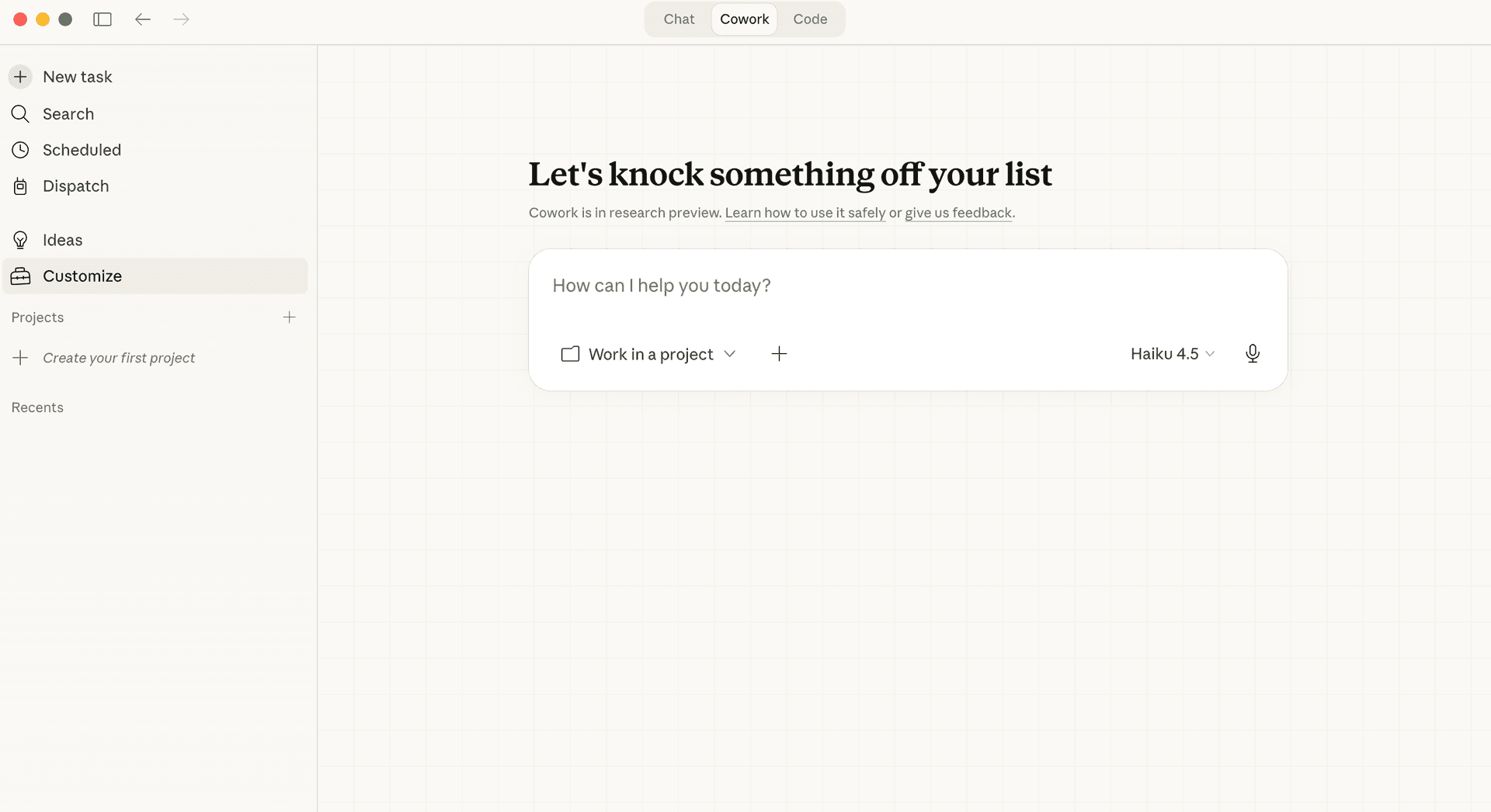
Open the Claude Desktop App. Click Customize in the bottom-left corner.
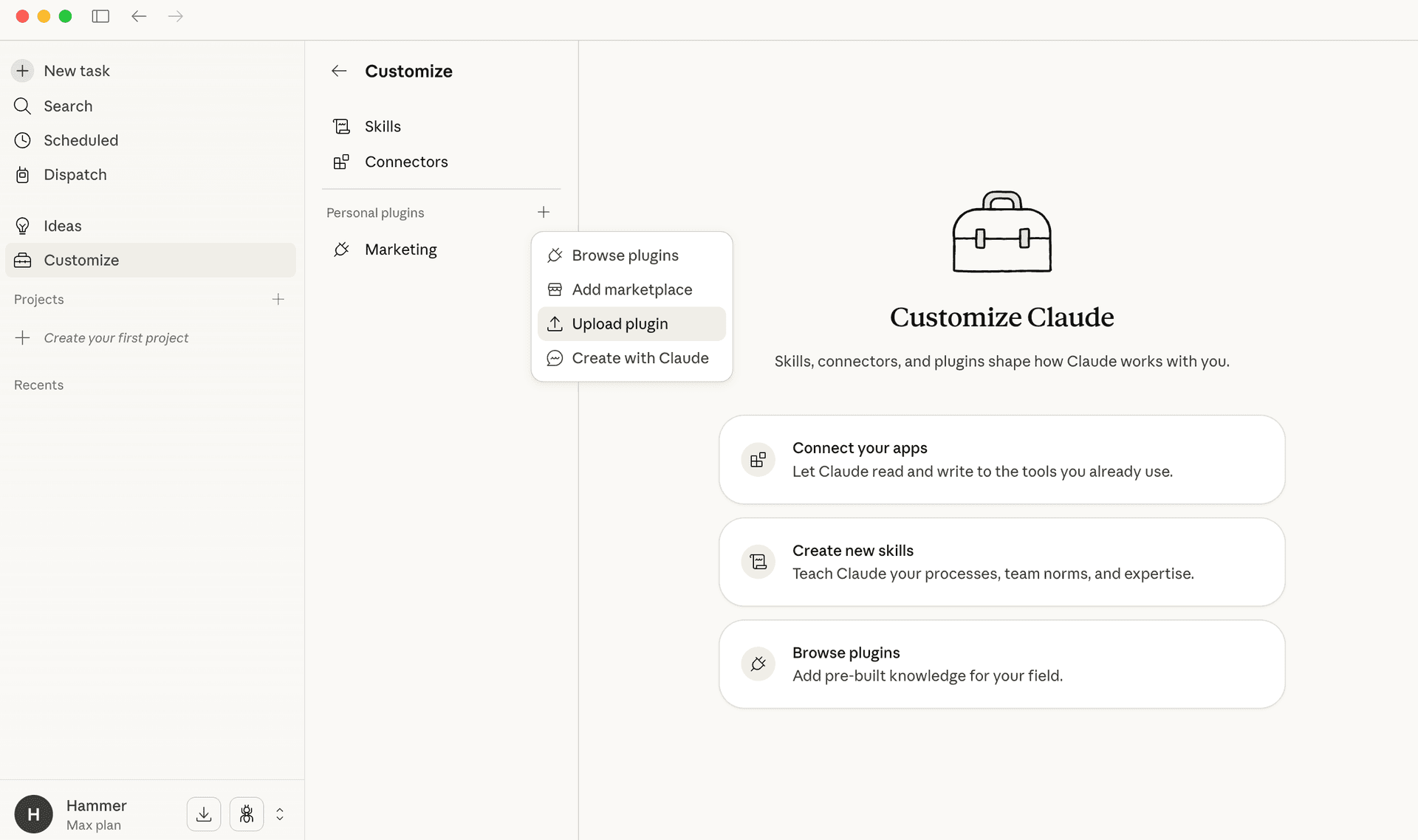
Under Personal plugins, click the + button, then select Upload plugin.
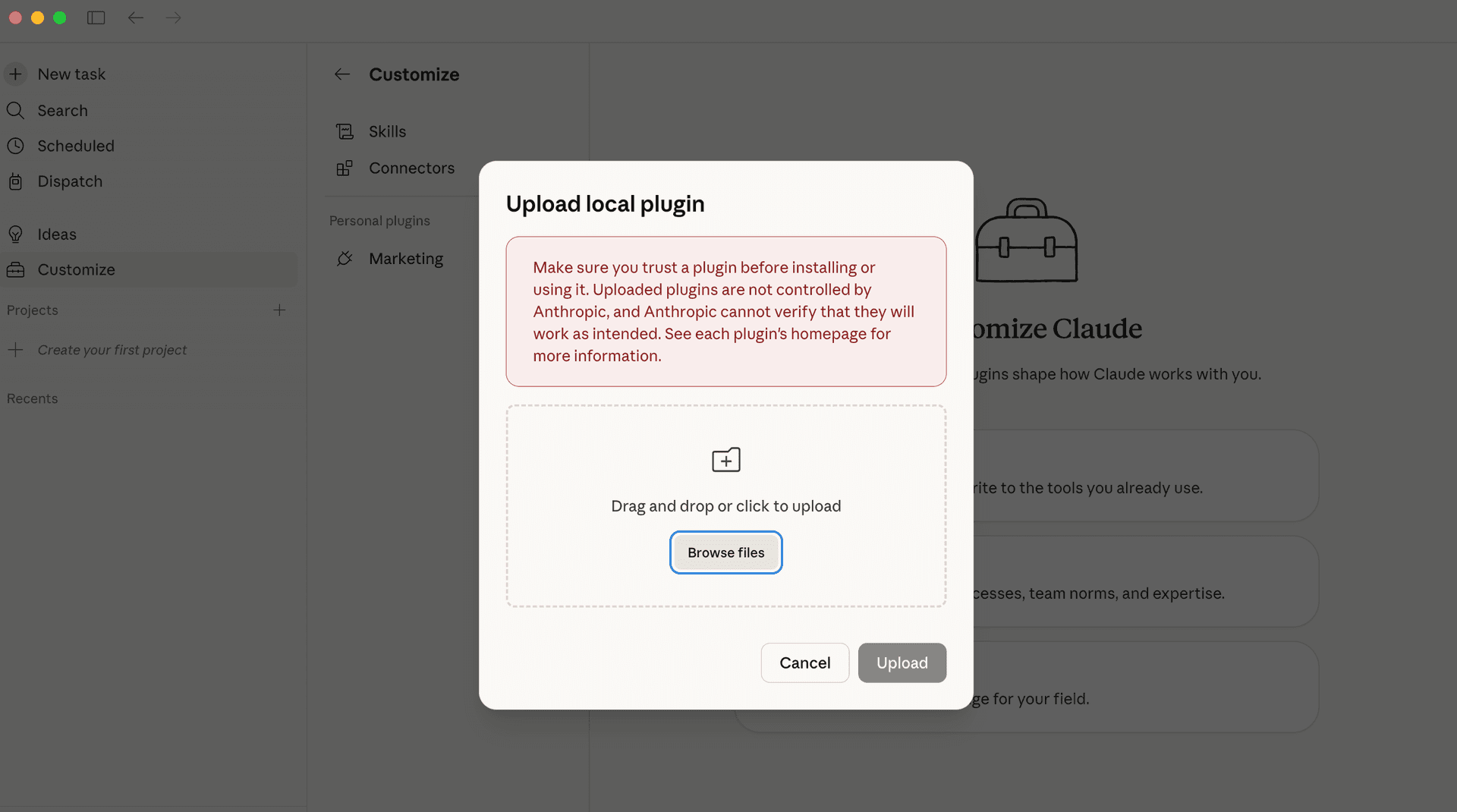
Drag and drop the downloaded zip file into the upload area, or click Browse files. Then click Upload.
Option B: Plugin Marketplace (CLI)
In your terminal, run: claude plugins marketplace add mlobo2012/UK-SMB-Finance-Accounting-Plugin — then: claude plugins install uk-accounting@UK-SMB-Finance-Accounting-Plugin
Option C: Clone and point
Clone the GitHub repo and run: claude --plugin-dir ./UK-SMB-Finance-Accounting-Plugin/finance-uk
Run your first accounting command
Try /journal-entry, /financial-statements, or /vat-reconciliation to see the plugin in action.
Connect your accounting tools (optional)
The plugin includes 5 Anthropic-hosted MCP servers (Slack, BigQuery, Microsoft 365, Gmail, and Google Calendar) that work out of the box. You can also connect Xero, Sage, or HMRC MTD for additional integrations.
Review outputs with your accountant
All plugin output should be reviewed by a qualified professional before acting on it.
Explore all workflows
The plugin includes journal entries, reconciliation, VAT, MTD filing, Companies House, financial statements, and internal controls.
Why Manual UK Accounting in Claude Is Painful
You paste financial data into Claude and get generic responses. It doesn't know FRS 102 from IFRS, can't structure a proper 9-box VAT return, and has no idea about Companies Act filing deadlines. This plugin gives Claude deep UK accounting knowledge — so it works like a qualified bookkeeper, not a general chatbot.
Without the Plugin
- ✗Generic responses — Claude doesn't know UK accounting standards
- ✗No VAT structure — can't prepare a proper MTD return
- ✗Missing deadlines — no awareness of HMRC/Companies House filing dates
- ✗Manual formatting — you have to structure everything yourself
With the Plugin
- ✓FRS 102/IFRS-aware — knows pre- and post-January 2026 rules
- ✓MTD-ready — structured 9-box returns with partial exemption handling
- ✓Deadline tracking — PAYE, VAT, Companies House with penalty schedules
- ✓Structured output — journal entries, financial statements, and reconciliations in proper format
What It Handles
The plugin gives Claude Code specialist knowledge across six core UK accounting domains — turning it from a generic assistant into a regulation-aware finance tool.
Journal Entry Automation
Accruals, prepaids, payroll (employer NIC, auto-enrolment pension), and fixed assets with FRS 102 treatment.
Financial Statements
P&L (Companies Act Format 1/2), Balance Sheet, Cash Flow Statement, with period comparison and proper UK formatting.
Bank & Account Reconciliation
GL to subledger matching, Open Banking integration, BACS/Faster Payments reconciliation.
VAT & MTD Compliance
VAT control account reconciliation, 9-box return preparation, partial exemption, Making Tax Digital filing.
Companies House
Annual accounts, confirmation statements, company size classification, audit exemption rules, and filing deadlines.
Internal Controls & Audit
Testing workpapers, sample selections, UK Corporate Governance Code 2024, ISA (UK) alignment.
How the Plugin Works
The plugin extends Claude Code with structured UK accounting workflows. Each command follows a consistent pattern: provide your data, get regulation-compliant output, review with a qualified professional.
Install the Plugin
One command in your terminal adds the full UK accounting skill set to Claude Code. No configuration needed — it works immediately.
Choose Your Workflow
Use /journal-entry, /reconciliation, /vat-reconciliation, /financial-statements, /companies-house, or /mtd-filing to select the accounting task.
Provide Your Financial Data
Paste figures directly, upload a spreadsheet, or connect via the built-in MCP integrations (Slack, BigQuery, Microsoft 365, Gmail, and Google Calendar included). Xero, Sage, and FreeAgent are also supported.
Get Structured, UK-Compliant Output
The plugin ensures all output follows UK accounting standards — FRS 102, Companies Act formats, HMRC requirements. No generic responses.
Connect Your Tools (Optional)
5 Anthropic-hosted MCP servers (Slack, BigQuery, Microsoft 365, Gmail, and Google Calendar) work out of the box. You can also connect Xero, Sage, HMRC MTD API, or Open Banking for additional data sources.
Review and Action
All outputs are designed for review by qualified professionals. The plugin accelerates your workflow — it doesn't replace professional judgement.
Best For — and Not For
Best For
- UK sole traders, freelancers, and SMBs using Claude for bookkeeping
- Accountants and bookkeepers who want Claude as a workflow accelerator
- Businesses preparing for MTD for Income Tax (ITSA)
- Finance teams needing faster month-end close
Not the Right Fit
- —Replacement for qualified accountants — this is an assistant, not an adviser
- —US/EU-only businesses with no UK accounting needs
- —Enterprise-scale ERP workflows (use dedicated accounting software)
- —Automated filing without human review
Frequently Asked Questions
It's a free, open-source plugin that gives Claude Code deep knowledge of UK accounting standards, regulations, and workflows. It covers journal entries, financial statements, VAT reconciliation, MTD filing, Companies House compliance, and internal controls — all built for FRS 102 and HMRC requirements.
Download the quickstart file above and follow the step-by-step guide. Installation is a single command in your terminal. The plugin is immediately available after install — no additional configuration needed.
Yes. The plugin includes a dedicated /vat-reconciliation workflow that reconciles your VAT control account and prepares a structured 9-box return. It handles standard, reduced, zero-rated, and exempt supplies, plus partial exemption calculations. For MTD filing, it prepares HMRC-compliant submissions.
Yes. The UK Finance & Accounting Plugin is free for private and internal business use under the Apache 2.0 + Commons Clause licence. The source code is available on GitHub. Commercial resale is not permitted.
The plugin includes 5 Anthropic-hosted MCP servers that work out of the box: Slack, BigQuery, Microsoft 365, Gmail, and Google Calendar. You can also set up MCP connections to Xero, Sage, FreeAgent, and other accounting tools for live data access.
The plugin is built around FRS 102 (the UK GAAP standard for small and medium entities) and also supports IFRS where relevant. It knows the correct treatment for accruals, prepaids, depreciation, employer NIC, auto-enrolment pensions, and more — including changes effective from January 2026.
Yes. The plugin includes month-end close workflows covering journal entry preparation, account reconciliation, variance analysis, and financial statement generation. It follows a structured 5-day close calendar approach with checklists for each stage.
The plugin tracks Companies House deadlines, classifies company size under the Companies Act 2006, determines audit exemption eligibility, and prepares annual accounts in the correct format. It covers confirmation statements, abridged accounts, and filing deadline calculations with penalty schedules.
Download the Free Plugin
Get the quickstart guide and start using UK-compliant accounting workflows in Claude Code today. Free, open source, and built for UK small businesses.
Need Help Setting This Up For Your Business?
We help UK businesses get Claude working as a genuine finance workflow tool — not just a chatbot. Custom plugin configuration, MCP server connections, and workflow design.