How to Get Started with Claude Cowork: A Decision Framework for Knowledge Workers (2026)

TL;DR
Claude Cowork is the desktop workspace where you hand Claude a whole task instead of a question — point it at your files and apps, describe the outcome, and come back to finished work. Use it when a task has more than one input, produces a file, and you'll repeat it. The fastest way to start: pick one boring weekly task you already know how to grade, and delegate that.
What is Claude Cowork, and how is it different from Chat and Claude Code?
Claude Cowork is a workspace inside the Claude desktop app where you delegate multi-step tasks rather than ask questions. You point Claude at a folder on your computer, connect the apps you already use, describe the outcome you want, and step away. It runs the work — extract, compile, reconcile, reformat — and hands back a finished deliverable.
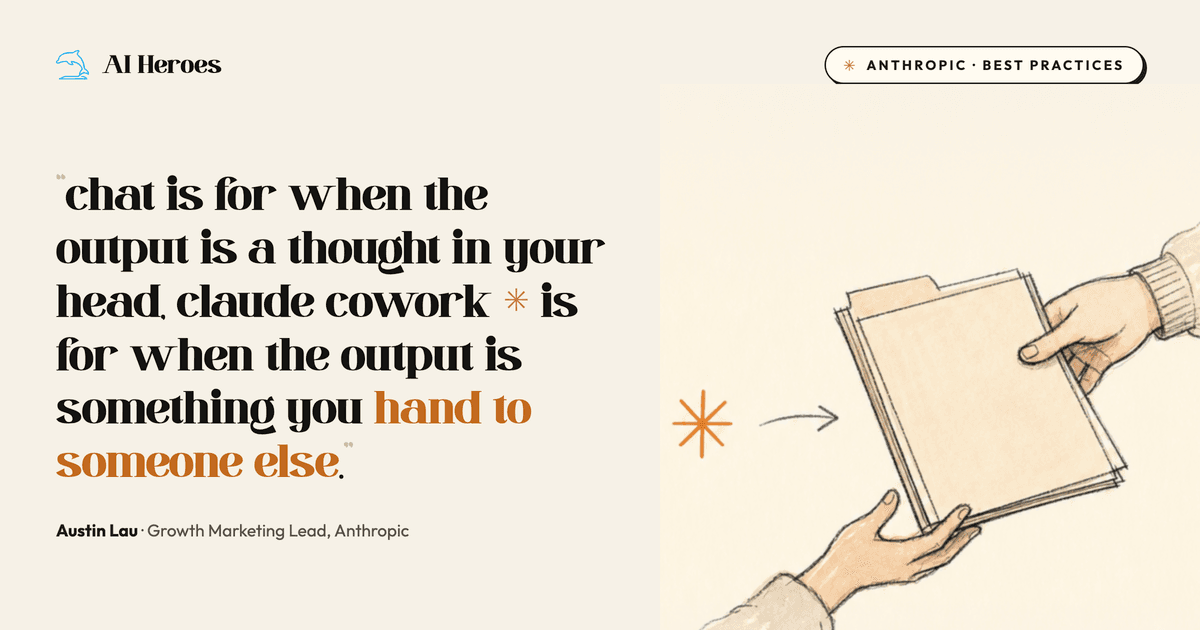
Chat, Cowork, and Claude Code run on the same underlying models. They are different workspaces for different shapes of work, not different levels of intelligence. According to Anthropic's Austin Lau, who manages growth marketing at the company, the split is simple: chat is for answers, Cowork is for deliverables, and Code is for software.
The mental shift is the whole point. In chat, you bring your work to Claude — paste a file, describe the situation, copy the answer back out. In Claude Cowork, you bring Claude to your work. It reads the folder, touches the connected apps, and produces the artefact directly, with no copy-paste shuttle in between.
Cowork runs the same agentic engine as Claude Code, but aimed at non-technical knowledge work: emails, decks, spreadsheets, docs, and "can you pull together a summary of this." You do not need to code, and you do not need to know what an agent is to use it.
When should you use Claude Cowork instead of Chat?
Use chat when what you need fits in a few exchanges — a question, an explanation, a brainstorm, a gut check. Use Claude Cowork when what you need is a deliverable: a file someone will open, a deck someone will present, a spreadsheet to be sorted. If you'd describe it as a task rather than a question, it belongs in Cowork.
The line falls in predictable places. The table below maps the same underlying topic to the right workspace depending on whether you want a thought or a thing.
| What you want | Workspace | Why |
|---|---|---|
| "What should I cover in my business review?" | Chat | You want thinking, not a file |
| "Read three months of meeting notes in this folder and build the QBR deck from our template" | Cowork | Multiple inputs, a deck comes out |
| "How do I write a VLOOKUP?" | Chat | One explanation answers it |
| "Go through every spreadsheet and change all VLOOKUPs to INDEX MATCH" | Cowork | Multi-file, repetitive, a result you can verify |
| "Suggest a better meta description for this page" | Chat | A single suggestion |
| "Update the title and meta for these 30 pages from this sheet via the CMS" | Cowork | A list in, 30 changes out |
| "Is this code change safe to ship?" | Claude Code | The work lives in a repo |
The most common mistake is reaching for chat for everything and never feeling what Cowork does differently. The opposite mistake is sending Cowork a one-line question that chat would have answered in five seconds. The fit test below settles it.
How do you know if a task is a good fit for Claude Cowork?
Run the task through five signals. Each is a yes/no. Score one point per yes — three or more, delegate it to Cowork; two or fewer, it probably belongs in chat. This turns a vague "should I automate this?" into a 15-second decision you can make on any task without guessing.
| Signal | Ask yourself | Point if yes |
|---|---|---|
| Multiple inputs | Does more than one thing go in — several files, a whole folder, or a file plus a connector? | 1 |
| A file comes out | Do you need a deliverable you can attach, present, or repurpose — a doc, deck, sheet, or CSV? | 1 |
| You'll do it again | Is this recurring rather than a one-off? Recurring tasks are the sweet spot. | 1 |
| You know what good looks like | Are you familiar enough with the output to judge it right, wrong, or 70% there in 15 seconds? | 1 |
| The middle is the boring part | Does the thinking live at the start and end, with mindless extract-compile-reconcile-reformat in between? | 1 |
The fifth signal is the one that matters most. The reason these tasks are worth delegating is that the judgement sits at the two ends — deciding what you want at the start, and deciding whether it's right at the end — while everything in the middle is the soul-sucking grind you do not want to do yourself. That middle is exactly what Claude Cowork is built to absorb.
A task scoring 5/5 — pull daily ad spend from every channel into one pacing sheet, every morning — is a textbook Cowork task. A task scoring 1/5 — "what's a good subject line for this email?" — is a chat question wearing a costume.
What are the three shapes a Claude Cowork task can take?
Once a task passes the fit test, decide how it should run. Claude Cowork handles work in three shapes, and naming the shape up front saves you re-prompting later.
| Shape | Use it when | Example |
|---|---|---|
| One-off Dispatch | The task is big but you want it once, while you step away | "Read these 40 call transcripts and draft a themes memo by the time I'm back from lunch" |
| Scheduled task | You want the same deliverable on the same rhythm, automatically | "Every Friday at 6am, pull the week's search-console data into the report and flag what moved" |
| Live Artefact | You want a page you can refresh whenever, with fresh data each time | An HTML dashboard that pulls live ad spend and calculates pacing on demand |
Scheduled tasks are where Cowork stops being a faster way to do work and starts doing the work before you arrive. You can set one up by typing /schedule, and it runs automatically — though only while your computer is awake and the desktop app is open, per Anthropic's setup guide. Lau's weekly reporting task used to take ~30 minutes; on a schedule it now takes five, and those five go to the part that needs his judgement.
How do you get started with Claude Cowork in 2026? Your first 10 minutes
You do not need a strategy to begin. You need one real task and ten minutes. Follow this sequence.
- Open the Cowork tab. In the Claude desktop app, switch from Chat to the Cowork tab. Cowork is on the Pro, Max, Team, and Enterprise plans — not the free tier — on macOS and Windows.
- Give Claude something real to work with. Drop in a few files, point it at a folder, or connect an app you use daily — Slack, Gmail, your CRM. The difference between a mediocre output and a great one is almost never your prompt; it's whether you gave Claude enough context.
- Describe the outcome, not the steps. Say what the finished deliverable should be and hand over any context. Cowork works best with outcome-oriented instructions, not click-by-click directions.
- Pick a task you already know well. Choose something where you know what "good" looks like. You'll see immediately where Claude is strong and where it needs more context from you — and you can grade the result in seconds.
- Make Claude ask you questions before it starts. Add this line to your prompt: "Before we begin, repeat my ask back to me, then ask me as many clarifying questions as you have." This single habit surfaces the things you forgot to specify — which time period, what "good" means, which edge cases you know that Claude does not. Answering five questions up front costs 30 seconds; finding those gaps afterwards costs you time, tokens, and a redo.
Set your standing preferences once under Settings, so every future task inherits your format, tone, and role context without you repeating them. If you're still unsure what to hand off, ask Claude — it can search your past work and tell you which tasks you do most often.
What does the path from your first task to a team workflow look like?
The first task is not the destination. The value compounds as a one-off becomes a system. Most people stall at step one because the getting-started advice stops there. The progression below is where Cowork earns its keep.
- One-off task. You delegate a single deliverable and grade the result. This is where you build trust in what Claude can and can't do.
- Reusable prompt. You save the prompt that worked. The same instruction now produces the same shape of output on demand.
- Scheduled task. You put that prompt on a rhythm. The deliverable now appears before you ask for it.
- Connector-wired workflow. You connect the source systems — Slack, Gmail, Google Ads, a CRM — so the task pulls live data instead of waiting for you to export it.
- Team workflow. The same wired-up task runs for a whole function, with the system of record staying authoritative underneath — the shape Anthropic's own sales team runs in practice on top of Salesforce and BigQuery.
Each step adds richer context, and context is what compounds. Anthropic's own finance team is a clean example of where this leads: corporate finance lead Alice Fong reclaims 10–20 hours a week by using Claude to reconcile numbers across slides and check narrative consistency before board decks ship. Her advice for starting is deliberately small: read a doc and summarise it, then expand scope. The leverage arrives once the recurring workflow accumulates project memory.
The same pattern shows up at the data layer. Anthropic's data science team automates roughly 95% of analytics queries at about 95% accuracy — and the unlock was structure, not raw access. Encoding procedural knowledge as reusable skills moved accuracy from 21% to over 95%. The lesson for your own Cowork workflows: a well-structured, repeated task beats a clever one-off every time.
What are the most common mistakes when getting started with Claude Cowork?
Most early Cowork disappointment traces to a handful of avoidable mistakes. Each one is a failure to respect where the judgement lives.
- Treating it like chat. Sending one-line questions instead of delegating tasks. If you wouldn't hand it to a capable colleague for an afternoon, it's a chat prompt.
- Starving it of context. A thin prompt against an empty workspace produces thin work. Give it the folder, the connector, the example of last quarter's deck.
- Skipping the clarifying questions. If you don't make Claude repeat the ask and question you first, it fills the gaps with assumptions you'll have to unwind later.
- Starting with a task you can't grade. Pick something where you know what good looks like, or you won't be able to tell whether the output is right.
- Stopping at the one-off. The first task proves it works. The scheduled, connector-wired version is where the hours actually come back.
The thread through all five: keep your judgement at the start and the end, and hand Claude the boring middle. That's the entire discipline.
The agent built for this

Richard
A forward-deployed AI agent that gets your software live and adopted inside every customer.
Meet RichardFrequently Asked Questions

Founder, AI Heroes
I build AI companies and the systems inside them. At AI Heroes, we give businesses the functional capacity to grow without the headcount growth normally demands — sales that follows up, marketing that runs, content that ships, ops that handles itself. We audit where you're leaving growth on the table, build the team that captures it, and hand it over completely.
I've built at scale before. Leading product and GTM at SlideSpeak AI (1M+ monthly users, profitable, bootstrapped). CPO at Disperse — the AI construction platform that went from 3 to 200+ people on $35M raised. I also co-founded LOBOMAR, a luxury fashion label featured in Elle, Cosmopolitan, and the LA Times, with shows at the London Design Museum, Wereldmuseum, and Amsterdam Fashion Week.
Related Articles

What Is Claude Tag? How Anthropic's Slack AI Teammate Works (2026)
Anthropic launched Claude Tag on 23 June 2026: a way to work with Claude inside Slack as a shared, always-on teammate. Tag @Claude and it plans a task, uses the tools you grant it, and replies in-thread. It is multiplayer, learns from the channel, can take initiative, and works asynchronously over hours or days. It runs on Opus 4.8, is in beta for Enterprise and Team, and replaces the old Claude in Slack app.

Microsoft Scout vs Claude Cowork: Autopilot or Delegation?
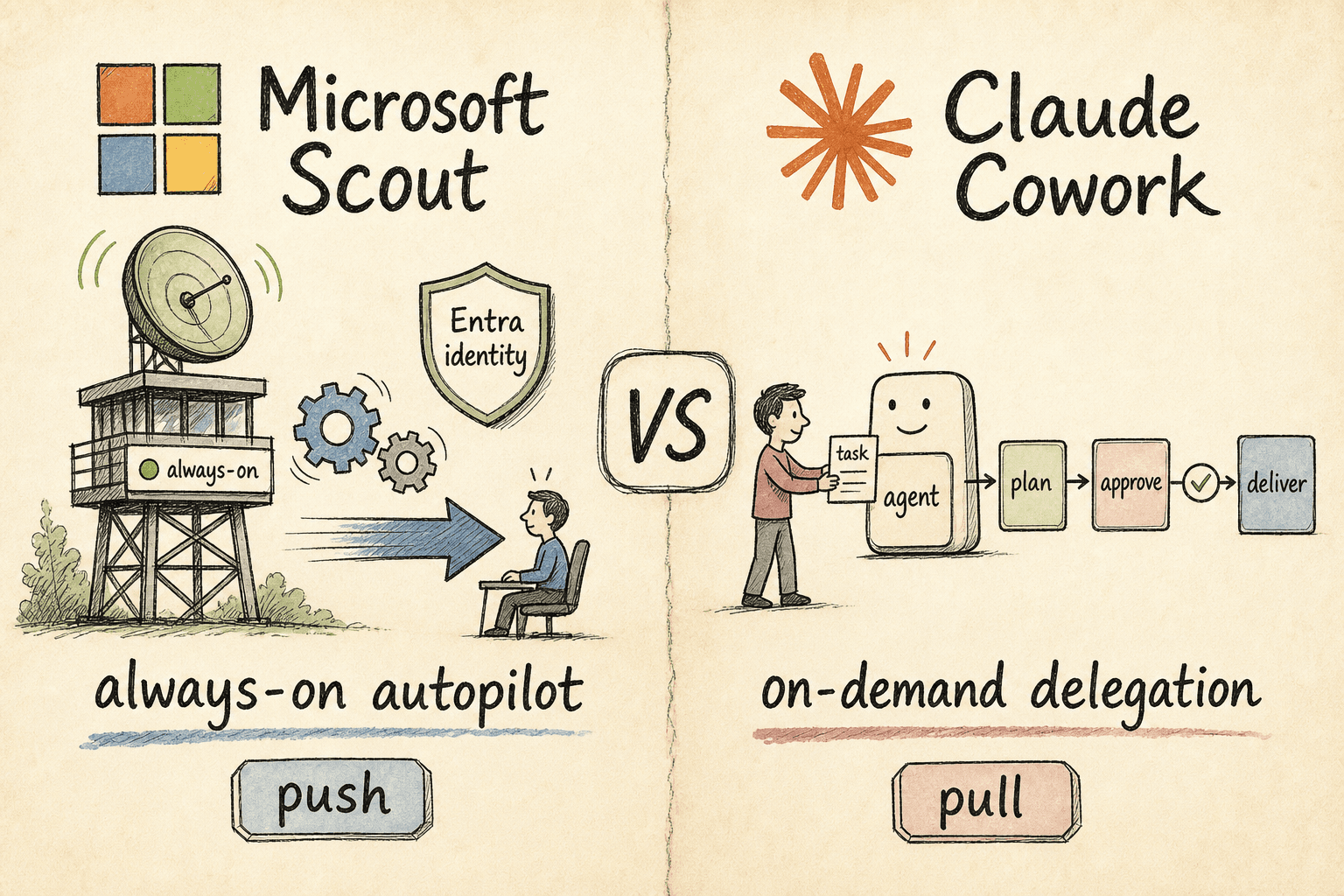
Two of 2026's biggest agent launches make opposite bets. Microsoft Scout is a desktop autopilot that runs in the background and acts on your behalf; Claude Cowork waits for you to hand it a task, then delivers. One is push, the other pull — here's which fits your team.

How Claude Managed Agents Actually Work: Dreaming, Outcomes, Multiagent Orchestration, and Webhooks (2026)
Anthropic gave Claude Managed Agents four new mechanics at Code w/ Claude: Dreaming, Outcomes, Multiagent Orchestration, and Webhooks. The one that changes how you build is Outcomes — a separate grader that loops the agent until a rubric is met. Here is how each one works, and when to reach for it.