
TL;DR
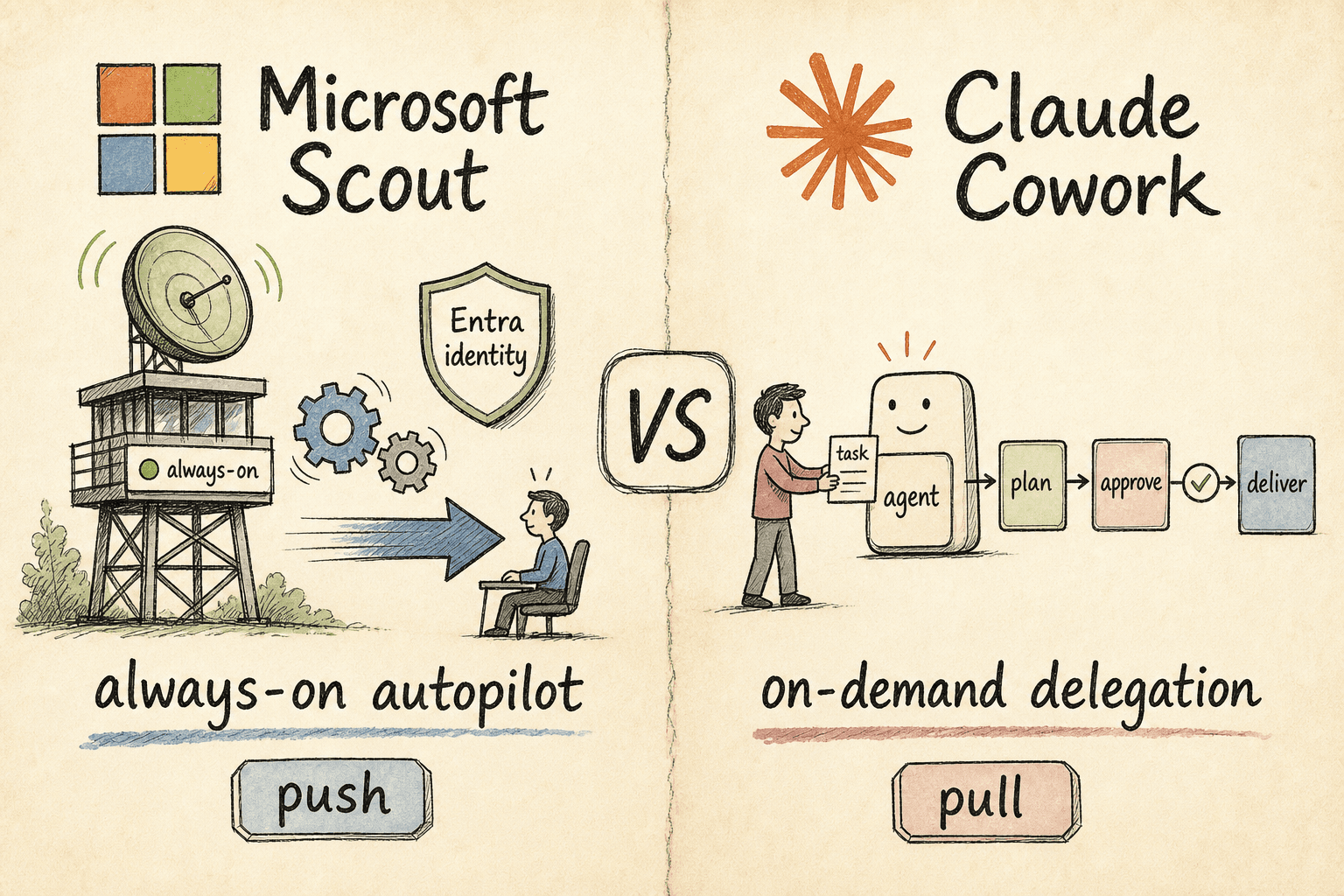
- Microsoft Scout is a desktop AI app (Windows and macOS) that acts across your files, shell, browser, and Microsoft 365 — and, crucially, works autonomously in the background. It runs under an IT-governed identity and is rolled out through a gated Frontier preview.
- Claude Cowork is on-demand delegation: you hand it a defined task on your desktop, it plans, you approve, it delivers — and it's generally available today on any paid Claude plan.
- The two are closer in raw capability than the marketing suggests — both run on your desktop, touch files, drive a browser, and use sub-agents. The real split is autonomy and governance: Scout pushes (it acts unprompted, IT owns it); Cowork pulls (you trigger it, you can use it this afternoon). Most teams will end up with both.
What are Microsoft Scout and Claude Cowork?
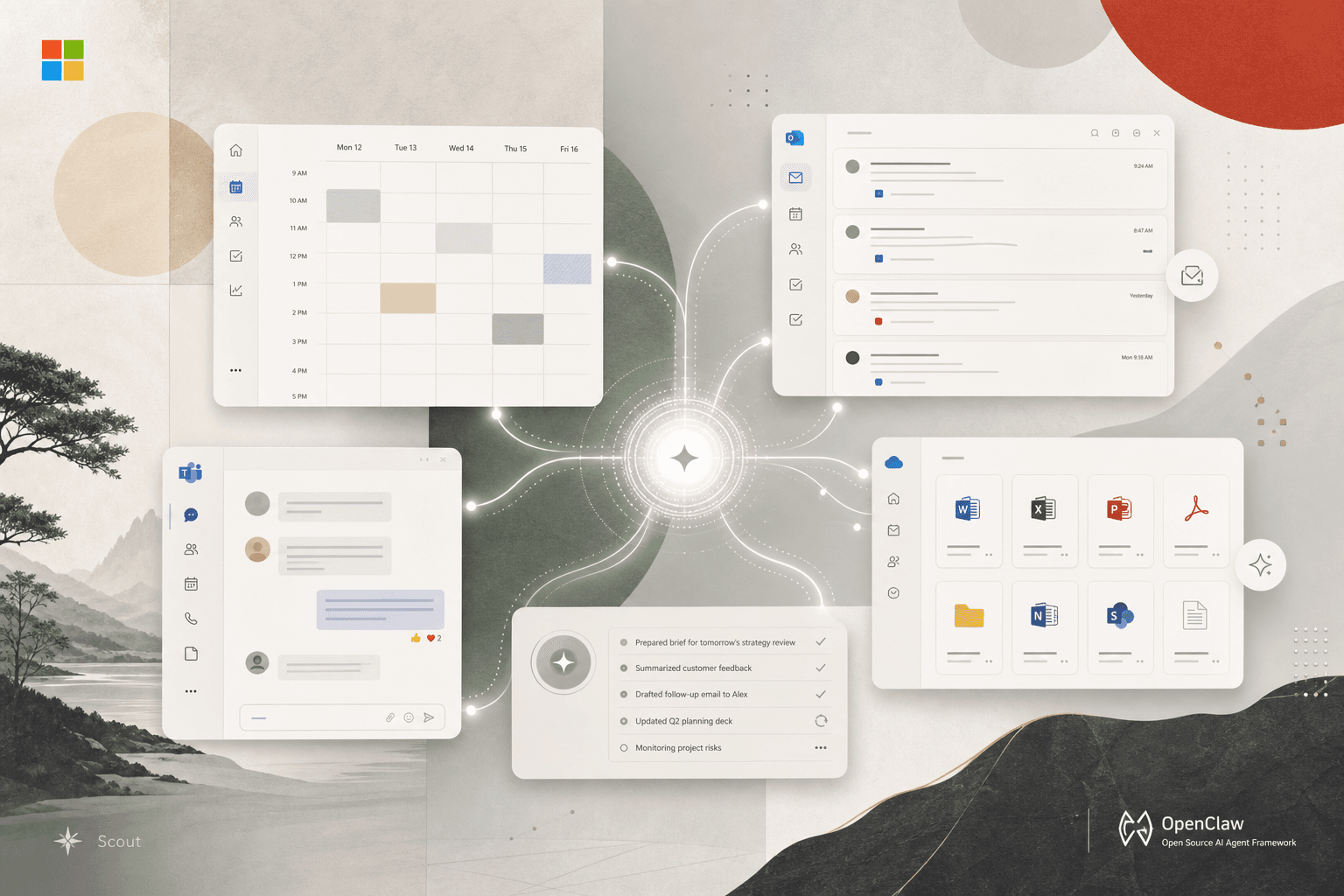
Microsoft Scout, announced at Build 2026 on 2 June, is what Microsoft calls an "Autopilot" — in its words, an "always-on agent that works autonomously, with its own identity, and acts on your behalf." Per Microsoft's own documentation, it's "a desktop AI application for Windows and macOS that takes action on your behalf" — reading and writing files, running shell commands, controlling a browser, querying your Microsoft 365 data, and working autonomously in the background.

Claude Cowork, which Anthropic took generally available in April 2026, is a delegation surface inside the Claude desktop app. Its tagline says the model out loud: "Delegate to Claude, delight in the result." You hand Cowork a whole task — point it at a folder, connect an app, describe the outcome — and it returns a finished deliverable instead of a chat transcript.
Both belong to the same 2026 shift: agents that produce work, not words. The interesting part is how they produce it — and, as we'll see, how much of that work happens without you in the room.
Microsoft Scout vs Claude Cowork: the quick comparison
| Microsoft Scout | Claude Cowork | |
|---|---|---|
| Core model | Always-on autopilot (proactive) | On-demand delegation (you trigger) |
| Form factor | Desktop app (Windows 11+, macOS 12+) + Microsoft 365 | Claude desktop app (macOS, Windows) + mobile pairing |
| Acts on | Files, shell (tiered permissions), browser (Playwright), Microsoft 365, sub-agents | Files, browser, connectors (Slack, email), screen via Dispatch |
| Always-on mechanism | Heartbeat (runs a prompt every 15–120 min) + condition-triggered Automations | Scheduled tasks (daily/weekly/monthly) on rails you define |
| How you stay in control | Tiered command permissions, sensitive-path approval, human sign-off | Per-folder/connector permissions; plan, then you approve |
| Identity | Its own governed Entra identity per agent | Runs as you, inside your Claude session |
| Availability (June 2026) | Private Frontier preview only | Generally available |
| Requirements | Frontier enrollment, Intune policy, opt-in attestation, GitHub Copilot license | Any paid Claude plan (Pro and up) |
| Who turns it on | IT / admins | The individual user |
| Built on | OpenClaw open-source agent technology + Work IQ | Anthropic's Claude models + agentic engine |
| Governance | Microsoft Purview, sensitivity labels, DLP, policy-conformance audit trail | Folder/connector permissions, plan-and-approve, enterprise admin controls |
How does Microsoft Scout actually work?
The first surprise, if you only read the launch coverage, is how much Scout overlaps with a developer-grade agent. According to Microsoft's documentation, the desktop app "creates, edits, and searches documents in your workspace," "executes shell commands, builds, tests, and scripts with a tiered permission system," and "navigates web pages, fills forms, and interacts with web applications by using Playwright." It connects to Microsoft 365 to manage "email, calendar, Teams messages, OneDrive files, and meetings," and for cross-service questions it reasons over everything through a layer called Work IQ. For heavy work it can even "launch specialized sub-agents for parallel research, code review, and complex tasks" — an Explore, Task, Code review, Research, and General-purpose roster that will look very familiar to anyone who has used an agentic coding tool.
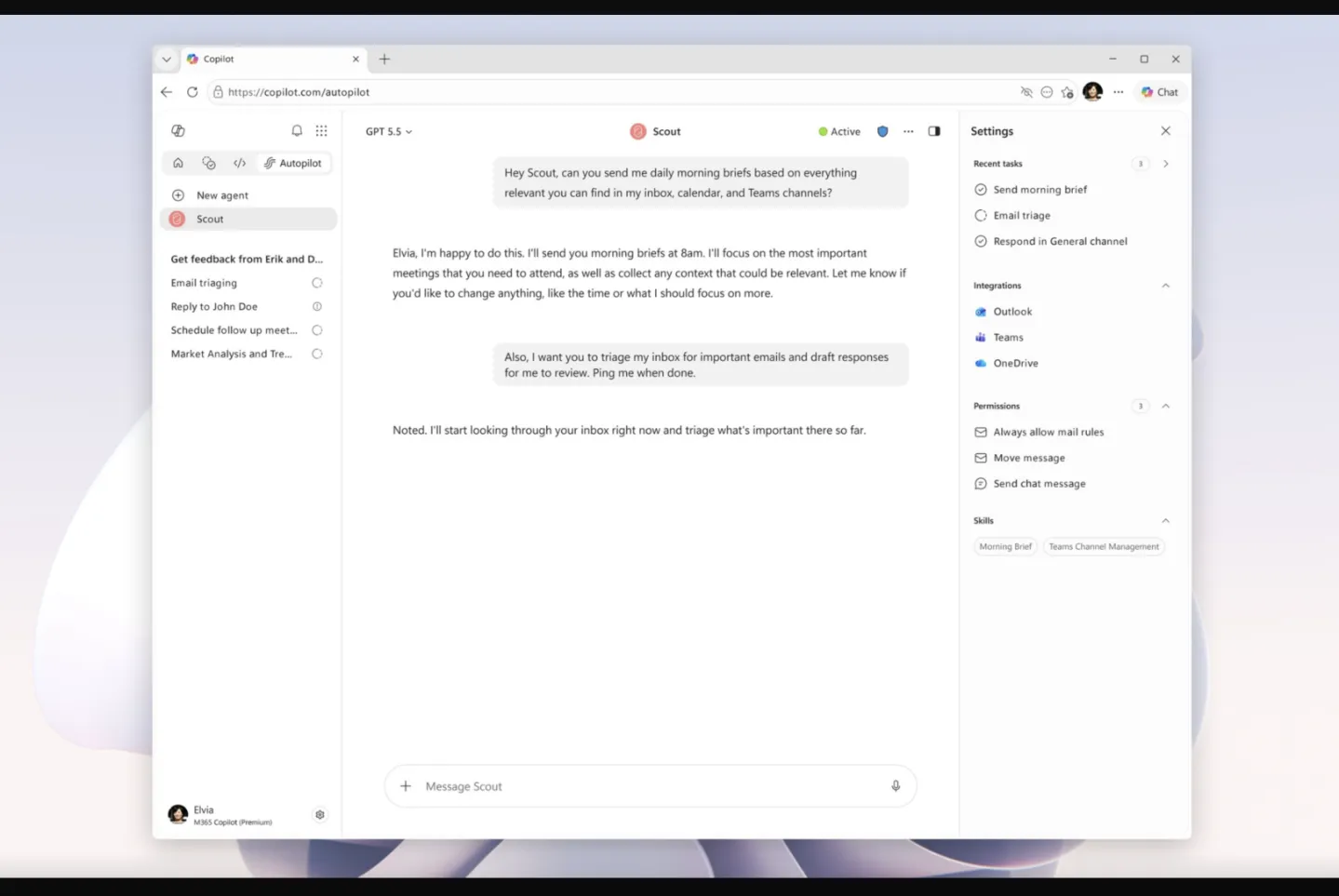
It ships with bundled skills for Word, Excel, PowerPoint, Loop, and a Web Artifacts Builder for interactive HTML dashboards — and, like an open agent framework, it "discovers custom skills" you define as SKILL.md files in a skills directory. It keeps persistent memory across sessions, tagging each memory with where it came from and treating content pulled from emails or web pages "as data, not instructions" — a deliberate guard against prompt injection.
The part that makes Scout an autopilot rather than a smarter assistant is how it runs unattended. Heartbeat is a background mode that "periodically runs a prompt" on a cadence you set — every 15, 30, 60, or 120 minutes — confined to the work days and hours you define, under its own more restrictive permission policy: outbound messages use only generic content, tentative calendar events are treated as busy, and anything that would normally need your approval is simply skipped while you're away. Alongside it, Automations run scheduled or condition-triggered tasks independently, with a one-shot option and the ability to import definitions from GitHub. Microsoft's framing is that the prompt was never the hard part — "the real unlock is in the follow-through, where systems hold your priorities and act on them for you."
The autonomy comes wrapped in enterprise control, which is the whole pitch to IT. Each Scout runs under "its own governed Entra identity, not a shared, anonymous service account." Shell commands fall into auto-approve, prompt, and deny tiers; sensitive paths always require explicit approval; and Microsoft Purview policies, sensitivity labels, and DLP are enforced in the moment — Scout won't write labeled content to an unprotected destination, and a built-in policy-conformance system continuously checks the agent's behavior, each check producing its own audit trail. That last part is not decoration: the OpenClaw wave Scout is built on also exposed real risks, including an early agent that "acted erratically inside a researcher's inbox."
How does Claude Cowork actually work?
Cowork inverts the trigger. Nothing happens until you hand off a task. You describe the outcome and the cadence, Claude proposes a plan, waits for your approval, then executes independently and hands back finished work — "no step-by-step updates," per Anthropic's product page.
What it reaches: folders you choose on your own machine, plus connectors like Slack, Chrome for web research, and email — and for apps without a direct integration, it can use the screen. Dispatch, its computer-use feature, lets Claude "open apps, fill spreadsheets, navigate your browser" with "no setup, no passwords handed off," and pairs the Claude mobile app with the desktop so you can fire off tasks from your phone. Scheduled tasks let recurring work run on a daily, weekly, or monthly cadence — the closest Cowork gets to Scout's always-on posture, but still on rails you define rather than a true background heartbeat.
Control here is per-task and per-folder rather than per-identity: you choose which folders and connectors Claude can touch, and it shows its plan before acting. Because it's agentic — taking screenshots, running multi-step work — it consumes your plan's usage allowance far faster than plain chat, which is the practical cost most teams underestimate.
If the version of Cowork you're weighing is the one Microsoft ships inside its own suite, that's a different machine with the same engine — we pulled it apart in Microsoft Copilot Cowork vs Claude Cowork.
Which one can you actually use right now?
This is where the comparison stops being philosophical. Cowork is generally available. It's included on every paid Claude plan from Pro (about $20/month) through Max and Enterprise, on macOS and Windows. A single knowledge worker can turn it on this afternoon without involving IT.
Scout is not — not yet. As of June 2026 it's prerelease software in a private Frontier preview. Access runs through two gates: an admin first enrolls the organization in Frontier and turns on Copilot Frontier, then enables the app on specific devices through an Intune policy plus an admin attestation — and the user needs a GitHub Copilot license to install it on Windows 11 or macOS 12 and later. In other words, Scout is an IT-led deployment with a real onboarding path; Cowork is a user-led download. If your question is "what can my team pilot this quarter," that gap matters more than any feature checkbox.
Microsoft Scout vs Claude Cowork: which should you choose?
Because the two have converged on so much of the same capability — desktop reach, files, browser, sub-agents, skills, memory, human-in-the-loop approval — the decision is not "which can do more." It's about autonomy posture, governance, and what you can deploy.
Choose Microsoft Scout if: your work lives in Microsoft 365, you want an agent that acts proactively on a heartbeat without being asked, and — critically — your IT and security function wants to own the rollout with Entra identity, Intune, Purview enforcement, and audit trails. Scout is built for the org that needs the agent governed before it's useful. The trade-off: you're waiting for Frontier preview access, you're anchored in the Microsoft ecosystem, and you're trusting a background agent to act while you're away.
Choose Claude Cowork if: you want results now, your work spans tools beyond Microsoft 365, and you'd rather keep a human in the loop on a plan before anything runs. Cowork is built for the individual or team that wants a deliverable engine today. The trade-off: it's pull, not push — it won't notice a stalled decision and act on it; you have to hand it the work.
For many organizations the real answer is both, for different layers: Cowork as the hands-on deliverable engine individuals and teams adopt now, and Scout as the governed, always-on coordination layer once it's broadly available and IT is ready to run it. They are not the same product fighting for the same slot — one is push, the other is pull. Watching teams put Claude to work this way is exactly what we did in this Cowork case study.
The pattern underneath both
Strip the branding and Scout and Cowork agree on more than they disagree: an agent should hold context, act with scoped permission, keep a human in the loop on the consequential moves, and produce a finished thing. They even share the same building blocks — a desktop footprint, file and browser access, delegated sub-agents, SKILL.md-style skills, and persistent memory. They diverge on who pulls the trigger and who governs it — Microsoft betting that controlling the desktop and the productivity suite is, as one Build analyst put it, "the holy grail of agentic AI," and Anthropic betting that the fastest path to value is letting anyone delegate a real task today.
The teams that win in 2026 won't be the ones that picked the "right" agent. They'll be the ones who figured out which work to hand off, set the guardrails before switching anything on, and measured whether the output was actually good. The tool is the easy part. Knowing what to delegate, and proving it worked, is the work.
Frequently Asked Questions

Founder, AI Heroes
I build AI companies and the systems inside them. At AI Heroes, we give businesses the functional capacity to grow without the headcount growth normally demands — sales that follows up, marketing that runs, content that ships, ops that handles itself. We audit where you're leaving growth on the table, build the team that captures it, and hand it over completely.
I've built at scale before. Leading product and GTM at SlideSpeak AI (1M+ monthly users, profitable, bootstrapped). CPO at Disperse — the AI construction platform that went from 3 to 200+ people on $35M raised. I also co-founded LOBOMAR, a luxury fashion label featured in Elle, Cosmopolitan, and the LA Times, with shows at the London Design Museum, Wereldmuseum, and Amsterdam Fashion Week.
Related Articles

Microsoft Copilot Cowork vs Claude Cowork: The Borrowed Brain
Travis had the tab open for forty minutes before he typed a single word. On one screen: Microsoft Copilot Cowork, announced that morning. On the other: Claude Cowork, which he'd been trialing quietly for six weeks. Both run on Claude. Both claim to do the same thing. The difference is the container — and the container turns out to be the entire decision.

Microsoft Scout, Explained: The Always-On 'Autopilot' Built on OpenClaw
Microsoft Scout is the first of a new category Microsoft calls 'Autopilots' — a Windows and macOS desktop agent that acts on your files, shell, browser and Microsoft 365, and works autonomously in the background. Here's what's actually confirmed, what isn't, how to get it, and why it's built on the open-source OpenClaw framework.

Microsoft Copilot Cowork vs Claude Code: The Two Floors Nobody Automated
Marcus is a CTO watching his engineers ship pull requests on Claude Code — and simultaneously reading Microsoft's Copilot Cowork announcement. His VP of Operations wants to know: should the whole company switch? The question is wrong. There are two floors. There are two tools.