Claude Code + HTML: The 2026 Implementation Guide to the Right Output Medium

TL;DR
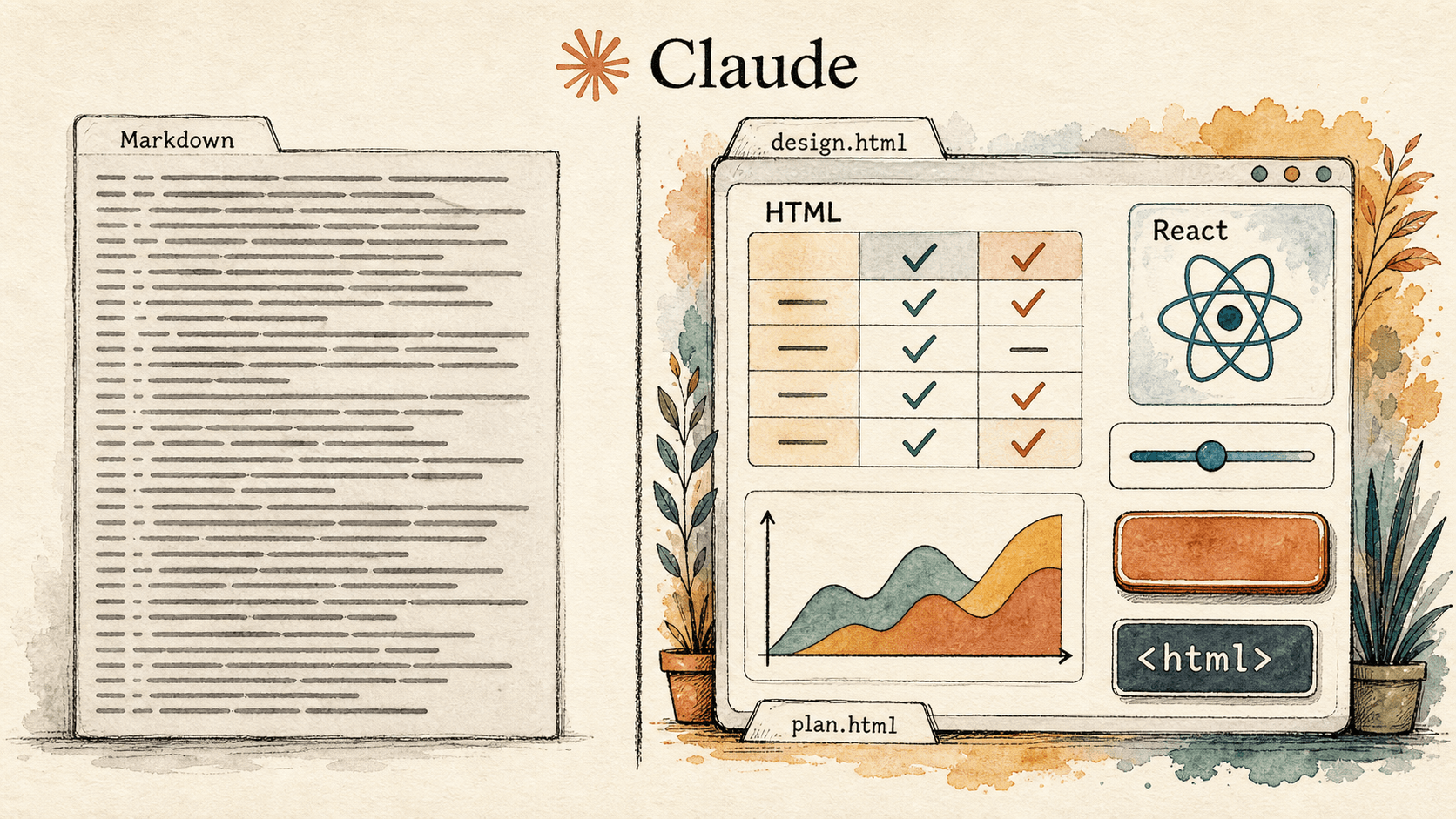
- HTML has quietly become the right default output medium for Claude Code work that humans actually have to read and decide on: tables, SVG diagrams, working interactive controls, side-by-side option grids, and code review surfaces all carry more information per token than Markdown and are far more likely to get opened.
- HTML-first is not React-first. The medium is single-file, browser-renderable HTML for planning, exploration, review, and internal tooling. Production product UI still lives in your shipped React, Next, Svelte, or native stack — Claude Code's HTML output feeds into it, not around it.
- The pattern that turns this into team leverage is a disciplined handoff: Claude Design or a frontend-design plugin in Claude Code generates expressive HTML mockups with an explicit aesthetic brief, Claude Code converts the approved option into your production framework, and a human reviews both the HTML artefact and the resulting diff before merge.
Anthropic engineers have been quietly switching Claude Code outputs from Markdown to HTML for almost everything that is not a short message. Thariq Shihipar's "The Unreasonable Effectiveness of HTML in Claude Code" puts the position bluntly: as agents get more powerful, Markdown becomes increasingly restrictive, and HTML lets Claude convey richer information through tables, CSS, SVG, scripts, and interactive elements the reader actually opens.
The implementation question is more interesting than the headline. When should a team route Claude Code output to HTML, when should it stay in Markdown, when does it need to be real production React, and how should the handoff from a design-side Claude session look on the way to a shipped product? This guide answers that for frontend leads, founders, and design-engineering teams who want useful work out of Claude Code without paying the AI-generic-design tax. It draws on Anthropic's HTML post, the Frontend Design plugin, the Prompting Claude for frontend aesthetics cookbook, and the Claude Design research preview from Anthropic Labs.
Why is HTML "unreasonably effective" as a Claude Code output medium?
HTML is unreasonably effective as a Claude Code output medium because it preserves dense information in a format the agent already speaks fluently and a human can open in one click. Every other rich medium either loses fidelity, requires a build step, or never gets read.
In his Claude.com post, Shihipar names four advantages: information density (tables, SVG, CSS, scripts), readability over long Markdown files, easy sharing through a single self-contained file, and two-way interactivity where users adjust sliders or toggle options and feed the result back into Claude Code. He goes as far as saying he has "stopped using Markdown altogether for almost everything", calling himself an HTML maximalist. The motivation he keeps returning to is not aesthetic; it is that HTML helps him stay in the loop with the agent.
The medium is expressive enough to encode the things engineers most often need to see when they review an agent's work — a diff with severity-coloured margin notes, a small interactive prototype, a six-option mockup grid, a research synthesis with embedded SVG. All awkward in Markdown, all natural in HTML.
For Claude Code specifically, the upgrade is sharper than for a generic LLM. Claude Code lives next to your filesystem and shell. It can write the HTML file, open it, iterate on it, and link to the path you actually use. No "where did the artifact go" problem.
When should you ask Claude Code to output HTML vs Markdown vs React?
Ask Claude Code for HTML when the output is something a human needs to look at, compare, or interact with locally. Ask for Markdown when it is a short message, a commit summary, or a file that lives inside another tool's text pipeline. Ask for production framework code only when the output is shipping inside your real product.
The mistake teams make is treating these as the same surface. They are not. Markdown is a messaging format. HTML is a thinking and reviewing format. React or your native framework is a product format. Confusing them is how you end up with a 900-line Markdown plan nobody read, or a beautiful HTML mockup that quietly ships as a stack of unstyled divs.
| Output medium | Best for | Failure mode if misused |
|---|---|---|
| Markdown | Short summaries, commit messages, PR descriptions, terminal-readable notes, content that flows into Slack, GitHub, or another text pipeline | Long plans no one opens, ASCII tables and diagrams that Claude resorts to because the format is too thin, "I'll read it later" debt |
| HTML (single file) | Multi-option design exploration, code review with annotations, interactive prototypes, research synthesis, custom one-off internal editors, planning documents with embedded SVG and tables | Treated as production code, copied wholesale into the app, no aesthetic brief so it lands as generic AI slop |
| React / Next / Svelte / native | Production UI that ships to users, shared components, state-driven product surfaces, anything that needs your design system or a real build pipeline | Built straight from a chat prompt with no HTML or design artefact in between, becomes the path of least resistance for shippable code that no human has visually reviewed |
Anthropic's HTML post recommends prompts as simple as "make an HTML file" or "make an HTML artifact" to trigger the medium. The discipline is not technical. It is knowing which of the three to ask for, before the prompt.
What does the Claude Design to Claude Code handoff actually look like?
The Claude Design to Claude Code handoff is a packaged bundle. Claude Design generates the visual artefact — wireframe, prototype, or polished mockup — and when the design is approved, Anthropic Labs' tool packages it into a handoff Claude Code can implement directly, without re-litigating decisions in chat.
The Claude Design product page describes the surface as a collaborative visual creation tool that reads your codebase and design files during onboarding to build a design system, and then exports to standalone HTML, PDF, PPTX, internal URLs, or directly into Claude Code. The handoff is not a screenshot. It is the design source plus system context, in a format Claude Code can act on.
That matters because the most expensive failure mode in design-to-code is the round trip. A designer hands a Figma file to an engineer. The engineer rebuilds from interpretation. Pixel ambiguity creeps in. A second designer reviews. Three days vanish. Claude Design plus Claude Code, used well, collapses that loop into a single asset that already speaks the team's design language.
The pattern we recommend at AI Heroes:
- Open the problem in Claude Design or a frontend-design plugin session in Claude Code. Brief the aesthetic dimension explicitly — typography, colour, motion, backgrounds — so the first draft is not a generic Inter-on-purple-gradient page.
- Generate multiple options as a single HTML grid, not one "final" design.
- Pick the strongest option visually. Mark up what should change.
- Hand the chosen HTML plus the design system bundle to Claude Code with explicit acceptance criteria: components to reuse, file location, required tests.
- Review both artefacts in the PR — the original HTML mockup as visual record, the production diff as the executable change.
Step 5 is the one teams skip. Without the HTML artefact in the PR, future reviewers cannot tell whether the production code matches what was approved or quietly drifted.
How do you stop Claude Code's HTML output from looking like AI slop?
Stop Claude Code's HTML output from looking like AI slop by giving it an aesthetic brief before the prompt, naming the defaults you want it to avoid, and refusing to ship the first thing it generates. The model converges on safe choices unless you push it off them deliberately.
Anthropic's Prompting Claude for frontend aesthetics cookbook is unusually direct. The default failure mode is purple gradients on white backgrounds, generic system fonts like Inter and Roboto, predictable layouts, and over-reliance on Space Grotesk because the model has learned to converge on it across generations. The cookbook gives a distilled <frontend_aesthetics> prompt that directs four dimensions: typography, colour and theme, motion, and backgrounds.
This matters for Claude Code specifically because the HTML you generate gets read by a frontend lead or founder who instantly clocks AI-generated work. If the output lands in their inbox looking like every other LLM frontend, the credibility hit is immediate. Aesthetic discipline is part of the deliverable, not a polish step.
Practical rules we apply:
- Always pass an aesthetic brief — at minimum, what fonts and palette. "Editorial newspaper, Playfair Display + IBM Plex Mono, deep teal accent on warm cream" beats "make it look nice".
- Generate at least three variants in a single HTML grid before picking. The second or third generation is usually braver than the first.
- Forbid the obvious tells in the prompt: no Inter, no Roboto, no purple-on-white, no scattered micro-animations.
- For HTML, lean on CSS variables and CSS-only motion. For React product UI, the cookbook recommends the Motion library and a single well-orchestrated page load instead of scattered micro-interactions.
- Treat the first generation as a draft. Name what is generic, ask again.
The Frontend Design plugin Anthropic ships in the Claude Code plugin marketplace already encodes a lot of this. If the team will do this often, install it rather than rebuilding the system prompt every time.
When is HTML-first the wrong call?
HTML-first is the wrong call when the work needs to ship inside your product, when the audience is a non-technical stakeholder who will not open a downloaded file, or when the artefact has to live inside another system's text pipeline.
If the deliverable is a marketing landing page on your real site, the right output is your production framework with your design system. An HTML artefact will not match your stack, routing, analytics, or component library. HTML can be a mockup step; the shipped code should be the real thing. If the audience is a CEO who reads everything on a phone in a corporate inbox, a single-file HTML attachment may not render natively or may get flagged by the mail client. A short Markdown summary in the message body, with the HTML linked from a shared drive, lands better. If the artefact will be consumed by another tool — Linear, Slack, standup, another agent — Markdown stays the right format.
The honest version of the HTML-first rule: HTML when a human is the reader and the reader needs to look, compare, or interact. Outside that surface, use the medium that gets the work received.
How does HTML output change the way Claude Code handles planning and review?
HTML output changes Claude Code planning and review by making the plan an artefact you actually open. A Markdown plan past three screens is mostly written for the agent and rarely read by a human. An HTML plan with a table of options, a side-by-side comparison, a small SVG of the flow, and a copy-to-clipboard spec block is a document a human will sit with.
Shihipar's workflow is to keep "a few different HTML files for different parts or stages of the plan" rather than one comprehensive doc: exploration file with multiple options, then a chosen-direction file with the mockup, then an implementation plan with code snippets, all retained as reference against the eventual implementation.
For code review, the HTML medium turns a flat diff into a navigable artefact. You can ask Claude Code to render the diff with margin annotations colour-coded by severity, click-to-expand context, and a summary table. Engineers read this. They mostly do not read a long Markdown review pasted into a PR. The leverage: the agent's verification work — the part where it confirms it understood the change — becomes a thing humans can audit, not a paragraph of prose. That moves review from "trust the summary" to "look at the artefact".
How does this compare to Cursor, Cline, and v0 for frontend work?
Claude Code with the HTML-first medium is best when the workflow is "think, explore, review, then implement" and the team values the artefact as part of the deliverable. Cursor optimises for in-IDE velocity, Cline for explicit plan-then-act discipline, and v0 for shippable React components from a prompt. Each has a different right answer.
| Tool | Default frontend output | Best fit | Weakness |
|---|---|---|---|
| Claude Code + HTML | Single-file HTML mockups, planning artefacts, comparison grids, then production framework code via handoff | Teams that want a reviewable design artefact before shipping; design-engineering pairs; founders who want to stay in the loop | Requires aesthetic discipline; HTML mockups are not directly shippable in a React stack |
| Cursor | React, Vue, or framework code inside the IDE via agent or chat | Developers who want frontend changes inline with the rest of their codebase; codebase-indexed in-IDE iteration | Less explicit visual artefact; harder to compare multiple visual options side by side |
| Cline | Plan-mode exploration then act-mode edits inside VS Code | Teams that want a visible planning boundary before touching files; explicit checkpoint discipline | Plan artefacts are mostly text; less native to expressive HTML output |
| v0 by Vercel | Production-ready React + Tailwind components from a prompt | Quick component generation when you already know what you want and ship on Vercel | Less suited to multi-option exploration or interactive planning artefacts |
The honest read: these are not direct competitors at the medium level. Claude Code with HTML is the design-thinking and review surface. Cursor and Cline are the in-IDE editor. v0 is a one-shot React generator. A mature team uses two of them, picks the medium for the task, and does not pretend one tool covers everything.
What is the AI Heroes implementation pattern for HTML-first Claude Code work?
The AI Heroes implementation pattern for HTML-first Claude Code work is a four-phase loop: brief the aesthetic, generate multiple HTML variants, review with a human in the loop, then convert the approved option into production framework code with explicit acceptance criteria.
We treat the HTML artefact as a first-class deliverable. It lives in the repository under a design-artefacts/<feature>/ path, gets reviewed in the same PR as the production code, and is referenced from the design system docs. In practice it adds about fifteen minutes to a feature and removes the "where did this design come from" question.
The phases:
- Brief. Write a short aesthetic prompt before opening Claude Code. Name typography, palette, motion, and the three things to avoid.
- Generate. Ask for three HTML variants in a single file as a grid, each visibly different. Open, screenshot the strongest direction, mark up changes.
- Review. Loop with Claude Code on the chosen variant until the HTML mockup matches what the team would actually ship. Keep the file as the canonical visual record.
- Convert. Hand the approved HTML plus the relevant slice of the design system to Claude Code with an explicit conversion brief: framework, design tokens, components to reuse, tests required. Review the diff and the original HTML side by side.
This is the HTML-first AI design output discipline: the medium for thinking and reviewing is HTML, the medium for shipping is your real stack, and the loop between them is owned by a human who reads both. The teams who get the most out of Claude Code in frontend work refuse to skip the artefact step. The teams who ship AI-generic UI go from a chat message straight to a PR.
Authoritative sources
- Anthropic: The Unreasonable Effectiveness of HTML in Claude Code
- Anthropic: Prompting Claude for frontend aesthetics
- Anthropic: Frontend Design plugin for Claude Code
- Anthropic Labs: Introducing Claude Design
- Claude Code docs: Extend Claude Code
Related reading
- Claude Code in large codebases: the 2026 implementation guide
- Claude Code vs ChatGPT Codex: which relationship do you want?
- OpenClaw vs Claude Code: which AI agent is right for you?
- Claude Code routines for software teams
- Claude Code desktop redesign for software teams
- Microsoft Copilot Cowork vs Claude Code
- The Founder's Playbook, implemented: a 90-day Claude rollout guide
The agent built for this

Richard
A forward-deployed AI agent that gets your software live and adopted inside every customer.
Meet RichardFrequently Asked Questions

Founder, AI Heroes
I build AI companies and the systems inside them. At AI Heroes, we give businesses the functional capacity to grow without the headcount growth normally demands — sales that follows up, marketing that runs, content that ships, ops that handles itself. We audit where you're leaving growth on the table, build the team that captures it, and hand it over completely.
I've built at scale before. Leading product and GTM at SlideSpeak AI (1M+ monthly users, profitable, bootstrapped). CPO at Disperse — the AI construction platform that went from 3 to 200+ people on $35M raised. I also co-founded LOBOMAR, a luxury fashion label featured in Elle, Cosmopolitan, and the LA Times, with shows at the London Design Museum, Wereldmuseum, and Amsterdam Fashion Week.
Related Articles
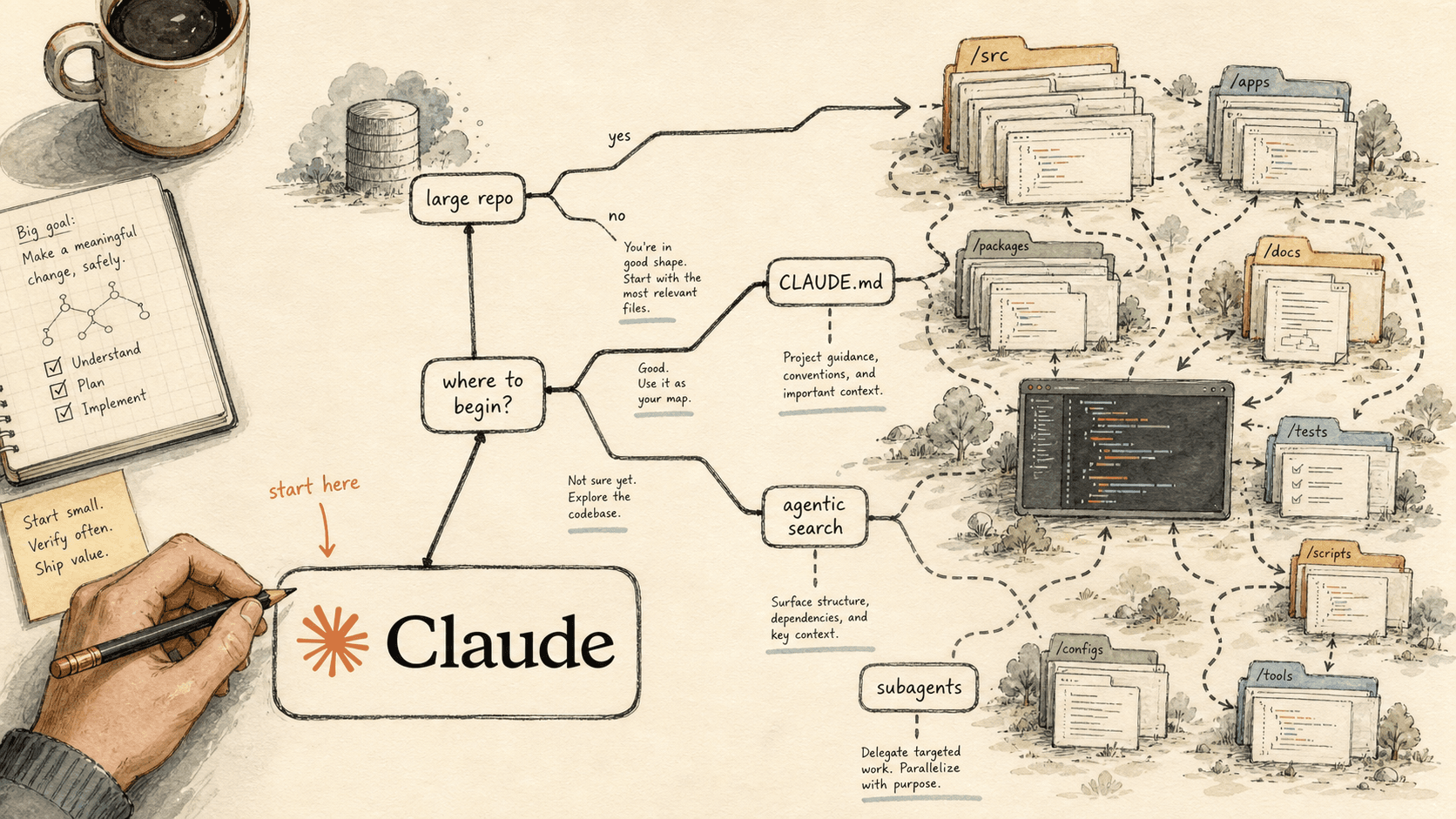
Where to Start With Claude Code in a Large Repo: A Decision Tree (2026)
You do not start a large Claude Code rollout by configuring everything. You start with the one mechanic your repo shape and your actual pain point demand — and ignore the rest until you hit them. This is the decision layer that runs before the build.


Claude Code in Large Codebases: The 2026 Implementation Guide
Claude Code does not win large codebases by swallowing the repo. It wins when you build a navigation and governance layer around it.
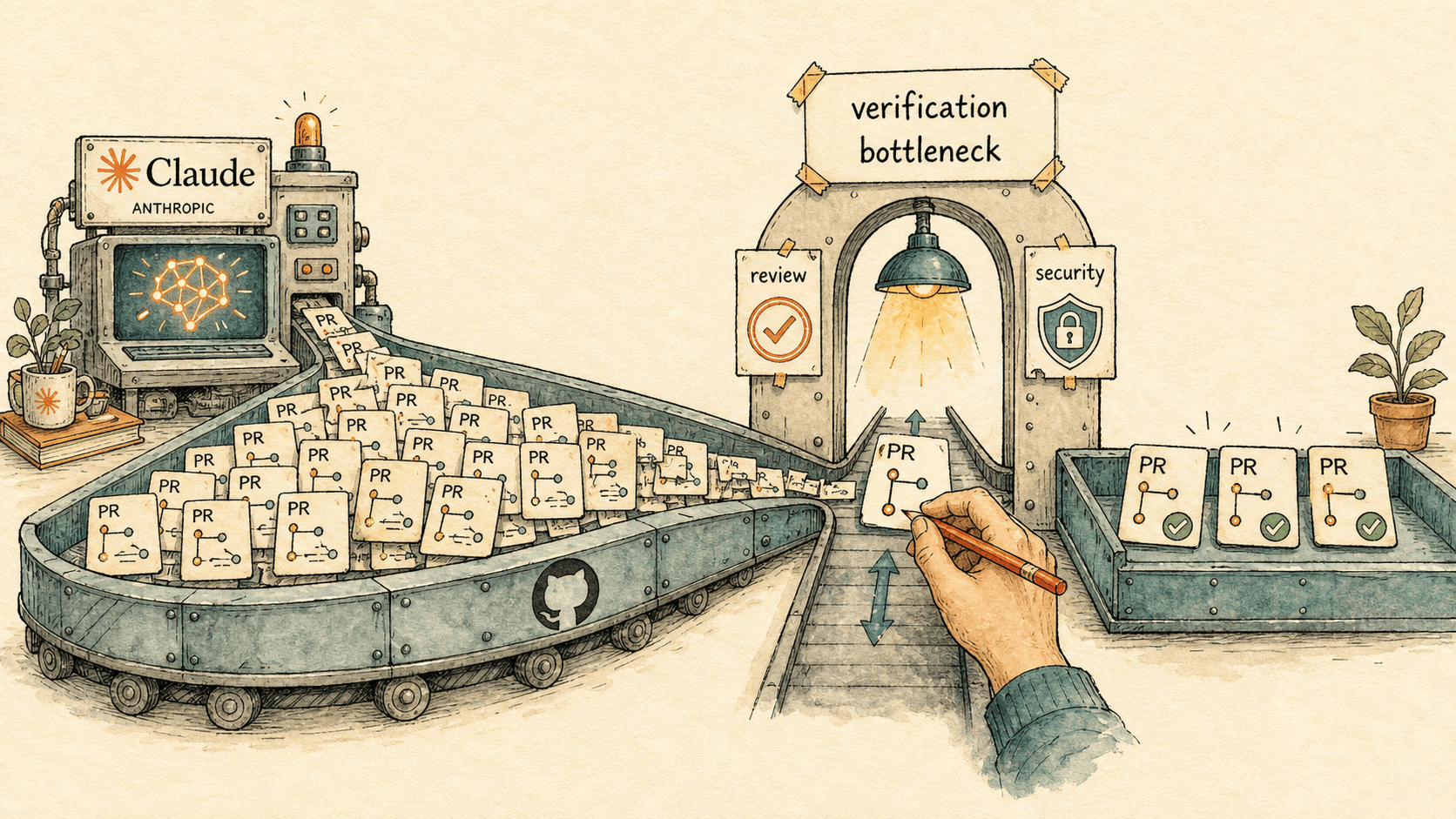
How to Run an AI-Native Engineering Org in 2026
Agentic coding doesn't remove the engineering bottleneck — it moves it from writing code to verifying it. Here's the 2026 operating model for an AI-native engineering organization: the processes to rewrite, how code review changes, and the metrics that prove it's working.